
The cover, in its box
The cover art appears mounted on a 3D box, next to the game’s name. It works for digital-only releases too.
Coverly Shelf is a browser extension that puts the box art in a 3D case and a screenshot gallery on every 3DS title page on hShop. It only changes how the page looks: everything else stays the same.
Free and open source (AGPL-3.0). For Chrome, Edge and Brave; a Firefox version will follow.
hshop.erista.me/t/1814
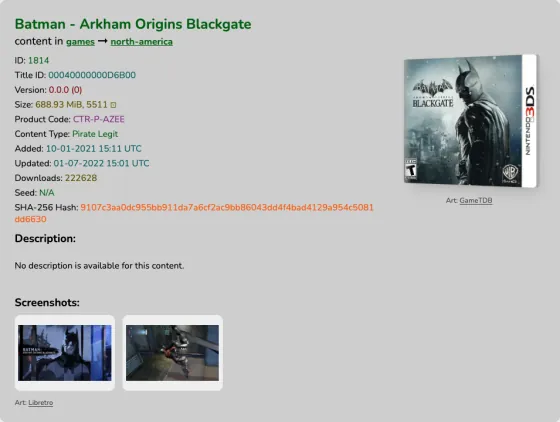
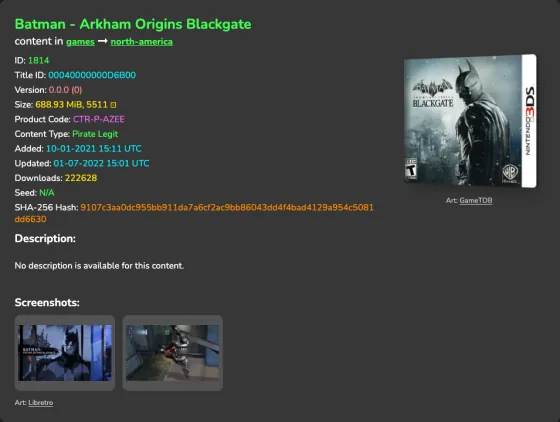
hShop title pages list the name, the product code and a description, but no pictures. Coverly Shelf uses that code to find the game’s cover and screenshots and places them next to the text.
The cover art appears mounted on a 3D box, next to the game’s name. It works for digital-only releases too.
A gallery of screenshots and the title screen. They open full size and you can move through them with the keyboard.
←→Esc
It follows the page’s colours and type, in light mode and dark mode, so it looks like part of it.
The extension leaves everything the page does alone. Here is what it can and cannot do.
It only adds pictures. It does not change links, buttons or anything you download.
No cover found, or the image sources are unreachable: it adds nothing and the page looks as it always did.
Remembering in your browser which images it found, so it does not ask again, and reading images from two sites. Nothing else.
No analytics, no sign-up, no server of its own. What you browse stays in your browser.
// manifest.json (excerpt)
"permissions": ["storage"],
"host_permissions": [
  "https://art.gametdb.com/*",
  "https://thumbnails.libretro.com/*"
]Until it is on the Chrome Web Store, you install it by hand from the GitHub releases.
From the project’s releases page on GitHub.
The browser loads the extension from that folder: if you delete or move it, the extension stops working.
Open chrome://extensions (edge://extensions in Edge, brave://extensions in Brave) and switch on Developer mode.
Click Load unpacked and pick the folder, or drag the folder straight onto the extensions page.
The cover and screenshots appear on their own, with nothing to set up.
It has not been submitted yet. Until then you install it by hand from GitHub, built from the same code you can read in the repository. When it is published, this page will say so.
On hShop title pages (hshop.erista.me/t/…). On every other site it does nothing. Coverly Shelf is an independent project, not affiliated with hShop or Nintendo.
No. The extension only adds pictures next to the page’s text. It does not read or change links, buttons or files.
No. It only requests images from art.gametdb.com and thumbnails.libretro.com, and remembers in your browser’s storage what it found for each game. There are no analytics and no account.
It tries other regions and sources; if it finds nothing, it adds nothing and the page stays as it was.
It is planned. Once there is a tested build, it will appear in the GitHub releases and on this page.
Yes. It costs nothing, needs no account and its code is AGPL-3.0.
Covers come from GameTDB, a community-maintained game database. The images belong to their owners.
Screenshots and title screens come from libretro-thumbnails, the Libretro project’s thumbnail archive.

Coverly ROMs does the same for the ROMs on your SD card: it finds the missing covers and adds them.